GitHub Actions + Playwright: A Complete CI/CD Pipeline Guide
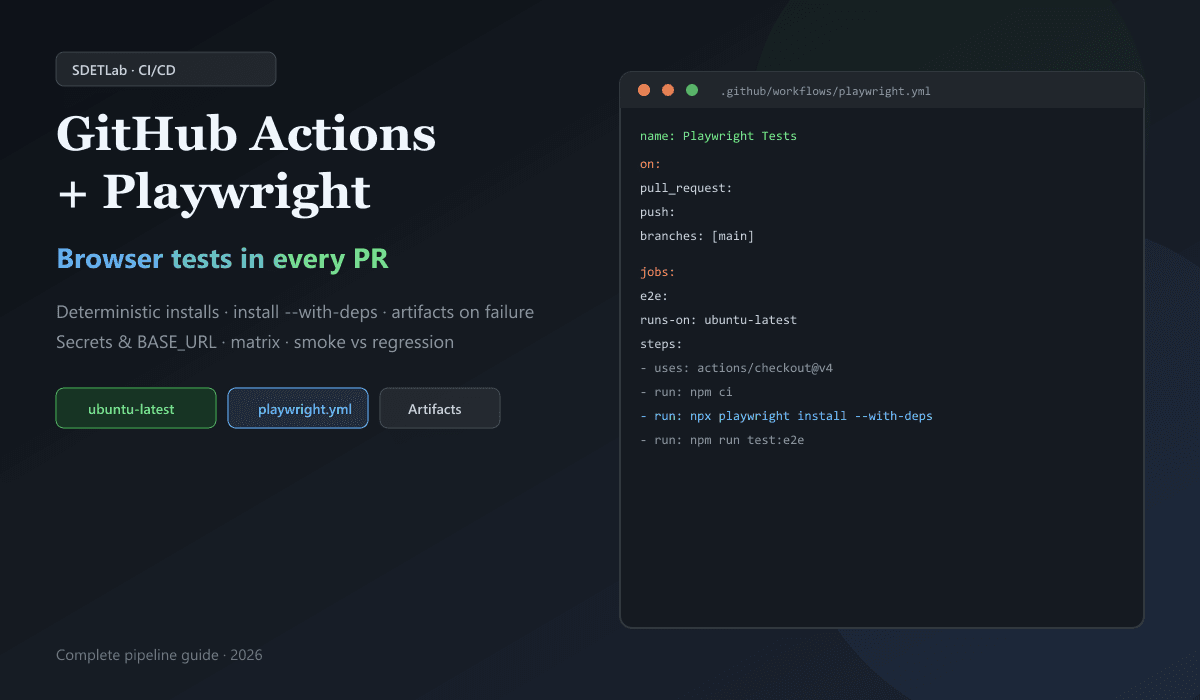
The problem most teams see is not “Playwright is too slow.” It is simpler than that: tests pass on your machine but fail in GitHub. After that, the failed run often has nothing helpful to open—so the team talks about servers and setup instead of fixing the real UI bug.
A good setup fixes most of that. In CI, install Node packages the same way every time (npm ci, like a clean install from your lock file). Install Playwright’s browsers and the extra Linux packages they need (npx playwright install --with-deps). Upload reports and traces even when tests fail (use if: always() on the upload step so files are not skipped on red builds). Keep URLs and login details in GitHub secrets, and read them from your config—do not paste staging passwords into the YAML file.
This guide explains the pieces in order: the workflow file, playwright.config.ts, caching, workers, retries, more than one browser, and smoke tests on a pull request vs a bigger suite on main. The goal is a check on every PR that people still trust—not a job they disable because it only creates noise.
If you are refining tests after a red build, use Playwright flaky test debugging in VS Code. For why suites flake and how to stabilize them, see Fix Flaky Tests: 2026 Masterclass. For where browser tests sit next to API and unit checks, see Modern Test Pyramid 2026.
Why this pipeline matters
Web apps change constantly; browser tests often catch regressions first. A pipeline makes those failures visible in the PR instead of only on someone’s laptop.
Playwright fits CI well: multiple browsers, parallel runs, auto-waiting, and built-in screenshots, videos, and traces. GitHub Actions fits because workflows live next to the code, integrate with checks on pull requests, and avoid running your own Jenkins box for many teams.
What a solid pipeline should do
A mature Playwright workflow usually:
- Installs dependencies deterministically (lockfile-based).
- Installs Playwright browsers and system deps on Linux runners.
- Optionally runs lint or build before E2E when the app must be built for tests.
- Runs tests on PR and protected branches with a command that matches local (
npm run test:e2eornpx playwright test). - Keeps HTML report, test-results (traces, video), and sometimes JUnit JSON as artifacts (
if: always()). - Uses controlled retries in CI and avoids masking real flakiness.
- Reads BASE_URL and secrets from the environment—no hardcoded prod passwords in YAML.
Playwright in one paragraph
Playwright drives Chromium, Firefox, and WebKit through a single API. The Playwright Test runner adds fixtures, projects, workers, retries, and reporters. In CI you typically use it for smoke/regression, cross-browser checks, and combined API + UI flows (see also Karate Framework API + UI guide if you compare JVM Gherkin stacks).
GitHub Actions in one paragraph
Workflows are YAML under .github/workflows/. Events (on:) such as push, pull_request, workflow_dispatch, or schedule trigger jobs. Each job runs on a runner (ubuntu-latest, windows-latest, …). Steps use uses: for actions (e.g. checkout, setup-node) or run: for shell commands.
Project layout
Keep tests and workflow discoverable:
my-app/
├── tests/
│   ├── login.spec.ts
│   ├── checkout.spec.ts
│   └── search.spec.ts
├── playwright.config.ts
├── package.json
└── .github/
    └── workflows/
        └── playwright.yml
Align package.json scripts so CI and local share the same entry point:
{
  "scripts": {
    "test:e2e": "playwright test",
    "test:headed": "playwright test --headed",
    "report": "playwright show-report"
  }
}
Playwright config geared for CI
Centralize behavior in playwright.config.ts so workflows stay short.
import { defineConfig, devices } from "@playwright/test";

export default defineConfig({
  testDir: "./tests",
  fullyParallel: true,
  retries: process.env.CI ? 2 : 0,
  workers: process.env.CI ? 2 : undefined,
  reporter: [
    ["html", { outputFolder: "playwright-report" }],
    ["json", { outputFile: "test-results/results.json" }],
    ["line"],
  ],
  use: {
    baseURL: process.env.BASE_URL || "http://localhost:3000",
    trace: "on-first-retry",
    screenshot: "only-on-failure",
    video: "retain-on-failure",
  },
  projects: [
    { name: "chromium", use: { ...devices["Desktop Chrome"] } },
    { name: "firefox", use: { ...devices["Desktop Firefox"] } },
    { name: "webkit", use: { ...devices["Desktop Safari"] } },
  ],
});
Retries in CI catch intermittent infra issues; trace: 'on-first-retry' captures a trace when the first attempt fails—useful without flooding storage on every green run. Tune workers to runner CPU and app stability (see parallelism).
Serving the app under test
If tests hit http://localhost:3000, start the app inside the workflow before playwright test, or use Playwright’s webServer option in config so the runner boots your dev or production build automatically. Otherwise CI fails with connection refused while tests are fine locally.
Minimal workflow
Store this as .github/workflows/playwright.yml:
name: Playwright Tests

on:
  push:
    branches: [main]
  pull_request:

jobs:
  e2e-tests:
    runs-on: ubuntu-latest

    steps:
      - name: Checkout code
        uses: actions/checkout@v4

      - name: Setup Node.js
        uses: actions/setup-node@v4
        with:
          node-version: "20"
          cache: "npm"

      - name: Install dependencies
        run: npm ci

      - name: Install Playwright browsers
        run: npx playwright install --with-deps

      - name: Run Playwright tests
        run: npm run test:e2e

      - name: Upload test report
        uses: actions/upload-artifact@v4
        if: always()
        with:
          name: playwright-report
          path: playwright-report/
The screenshot below matches Step 1: .github/workflows/playwright.yml in the repo next to a minimal job (checkout → Node → npm ci → Playwright browsers → test:e2e).
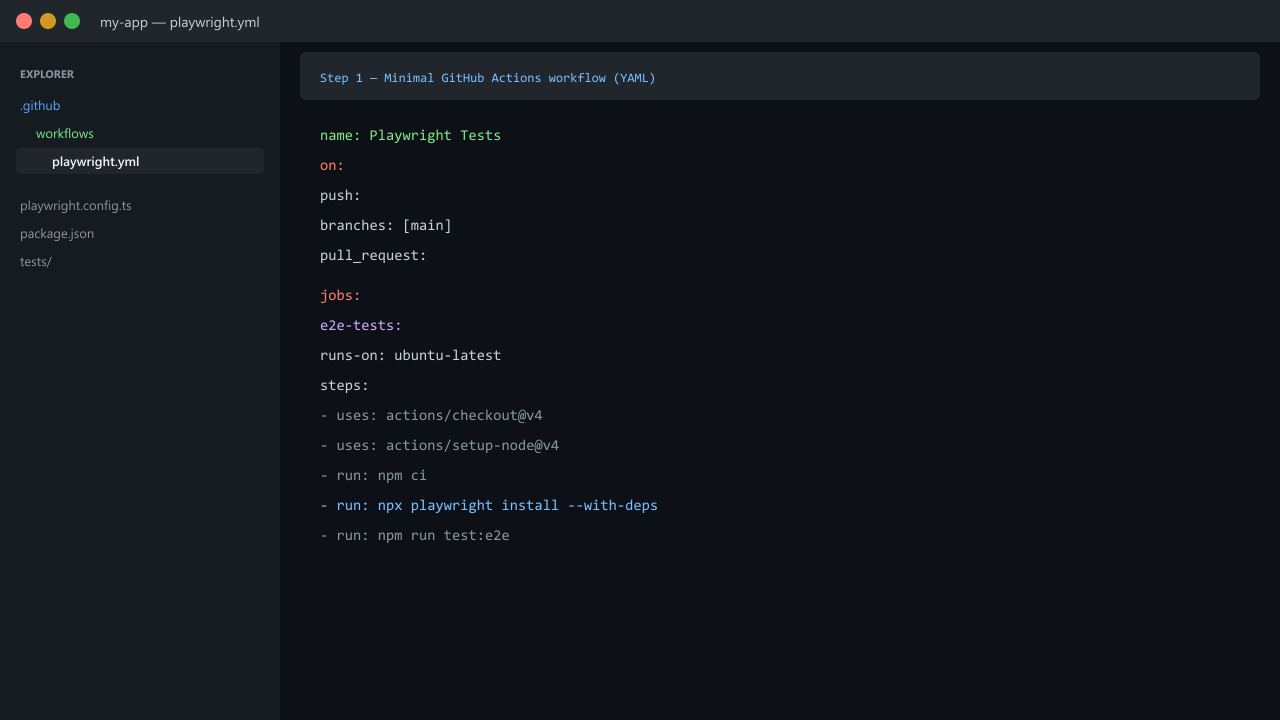
if: always() ensures the HTML report uploads even when tests fail—the runs you care about most.
Why npm ci in CI
npm ci installs exactly what package-lock.json specifies. npm install may update the lockfile or resolve differently. CI should fail for product or test bugs, not surprise dependency drift. With Yarn or pnpm, use their frozen install equivalents (yarn install --frozen-lockfile, pnpm install --frozen-lockfile).
Browser installation: install --with-deps
On Linux runners, use:
npx playwright install --with-deps--with-deps pulls system libraries Playwright needs for headless browsers. Skipping this is a common reason for passes locally, fails in Actions. Official doc: CI (GitHub Actions).
Caching
cache: 'npm' on actions/setup-node speeds npm ci. Optional: cache Playwright’s browser download directory keyed by Playwright version if install time dominates—invalidate when you bump @playwright/test. Do not cache playwright-report/ or test-results/ as production caches; those are run outputs.
Pull requests vs main
Typical tiering:
| When | What to run |
|---|---|
| Every PR | Smoke or tagged @smoke subset, fast feedback |
| merge to main | Fuller regression or deploy smoke against staging |
Nightly schedule: | Cross-browser matrix, long flows, data-heavy suites |
Use grep / tags or separate projects so one job stays under ~10–15 minutes when possible. Playwright: test filtering.
Parallel execution and isolation
fullyParallel: true lets safe tests run across workers. Parallelism only works if tests do not share mutable state: each test should use its own data, unique accounts, or fixtures that reset state. Shared globals or order-dependent steps explode in CI—see Fix Flaky Tests: 2026 Masterclass.
Retries and flakiness
retries: 2 in CI is a safety net, not a substitute for stable tests. If a test only passes on retry, triage it as flaky and fix locators, waits, or data. trace: 'on-first-retry' gives you a Trace Viewer artifact when it matters.
Debugging failed runs: artifacts
Upload at least:
playwright-report/(HTML)test-results/(traces, attachments,results.jsonif configured)
- name: Upload artifacts
  uses: actions/upload-artifact@v4
  if: always()
  with:
    name: test-artifacts
    path: |
      playwright-report/
      test-results/
Download the zip from the workflow run, open playwright-report/index.html, or use npx playwright show-report locally after extracting.
Secrets and BASE_URL
Never commit credentials. Use GitHub encrypted secrets:
- name: Run tests
  env:
    BASE_URL: ${{ secrets.BASE_URL }}
    TEST_USER: ${{ secrets.TEST_USER }}
    TEST_PASSWORD: ${{ secrets.TEST_PASSWORD }}
  run: npm run test:e2e
Read process.env in config or tests. Prefer short-lived tokens and dedicated test tenants over production accounts.
Matrix strategy (multi-browser)
Run the same job for each browser when you need cross-browser signal (often main or nightly, not every PR):
strategy:
  fail-fast: false
  matrix:
    browser: [chromium, firefox, webkit]

steps:
  # ... checkout, node, npm ci, playwright install --with-deps ...

  - name: Run tests
    env:
      BASE_URL: ${{ secrets.BASE_URL }}
    run: npx playwright test --project=${{ matrix.browser }}
Project name values in playwright.config.ts must match chromium / firefox / webkit (or your custom names). Matrix multiplies minutes and cost—use it where coverage justifies it. For a framework comparison, see Playwright vs Selenium vs Cypress.
Stable selectors (pipeline is only as good as tests)
Prefer locators that match how users and assistive tech see the page:
getByRole,getByLabel,getByPlaceholder,getByTestId
Avoid brittle XPath chains and CSS tied only to layout. Unstable selectors create noisy CI that teams learn to ignore.
Example: fuller production-friendly workflow
name: Playwright CI

on:
  pull_request:
  push:
    branches:
      - main

jobs:
  test:
    runs-on: ubuntu-latest

    strategy:
      fail-fast: false
      matrix:
        browser: [chromium]

    steps:
      - name: Checkout repository
        uses: actions/checkout@v4

      - name: Setup Node
        uses: actions/setup-node@v4
        with:
          node-version: "20"
          cache: "npm"

      - name: Install dependencies
        run: npm ci

      - name: Install Playwright
        run: npx playwright install --with-deps

      - name: Run tests
        env:
          CI: true
          BASE_URL: ${{ secrets.BASE_URL }}
        run: npx playwright test --project=${{ matrix.browser }}

      - name: Upload report
        uses: actions/upload-artifact@v4
        if: always()
        with:
          name: playwright-report-${{ matrix.browser }}
          path: |
            playwright-report/
            test-results/
Set CI=true explicitly if your config branches on it (many runners already set CI, but being explicit avoids surprises on self-hosted agents).
Common mistakes
- No
playwright install --with-depson Linux. - Hardcoded URLs or passwords in YAML or repo.
npm installwithout lockfile discipline.- No artifacts on failure—debugging becomes guesswork.
- Shared test data or order-dependent tests under parallel workers.
- Huge suite on every PR—developers bypass or disable checks.
- Skipping build / webServer when the app must be running locally.
When to extend the pipeline
Add steps when they solve a real problem:
- Lint + typecheck before E2E
- Build step +
webServerpointing atnpm run start - Slack / email on
failureonly (avoid alert fatigue) schedule:for nightly full regression- Path filters (
paths:/paths-ignore:) so docs-only PRs skip browser jobs
Conclusion
A GitHub Actions + Playwright pipeline works best when it is simple at first, environment-driven, artifact-rich on failure, and backed by isolated, well-located tests. Grow from a minimal workflow to matrix, tiered suites, and stricter gates as the product and team scale.
Takeaways
- Use
npm ci,npx playwright install --with-deps, and the samenpm run test:e2eas local. - Keep retries modest; invest in traces and stable selectors.
- Upload
playwright-report/andtest-results/withif: always(). - Drive base URL and credentials from secrets and env, not hardcoding.
Official references: Playwright CI · GitHub Actions documentation.