GraphQL Testing with Apollo + Playwright: Deep Dive (2026)
Written by Kajal · Reviewed and published by Prasandeep
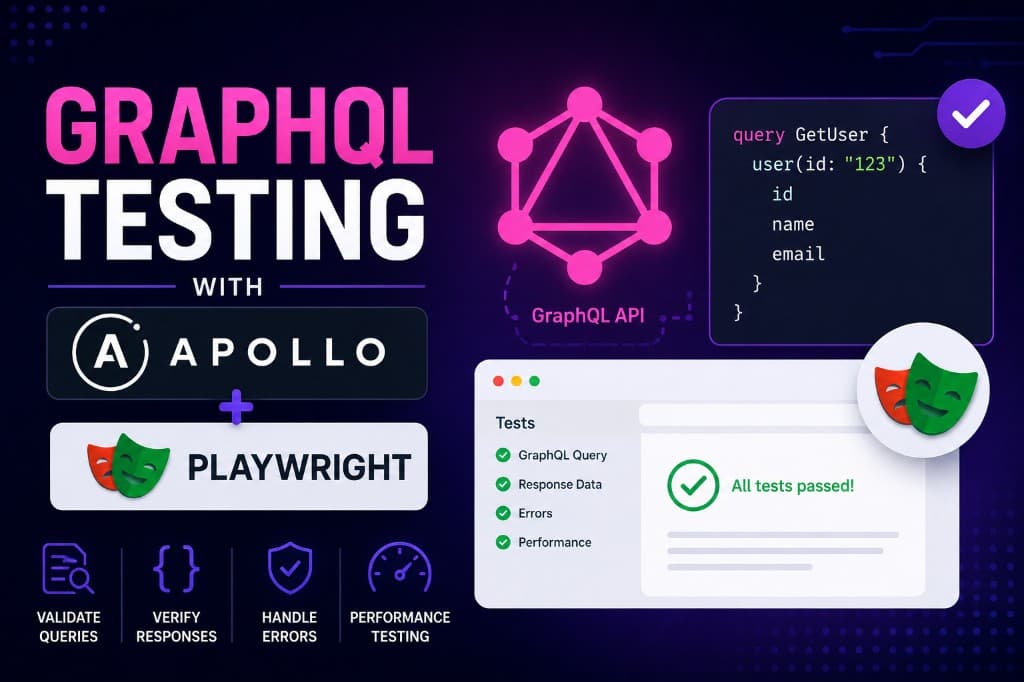
GraphQL continues to replace REST in many modern stacks. Testing has to evolve with it: one endpoint, dynamic queries, partial errors, and schema-driven contracts instead of fixed URL responses.
This deep dive shows how to build a GraphQL testing strategy with Apollo Server on the backend and Playwright for API and end-to-end checks. You will see what to test, why it matters, and patterns that stay maintainable as the schema grows.
For REST-heavy comparison, see REST Assured Complete Tutorial (Java API Testing). For contract thinking at service boundaries, see API Contract Testing with Pact.js and Contract Testing for Microservices. For Playwright structure and CI, see Playwright Automation Framework from Scratch and GitHub Actions + Playwright CI/CD pipeline. For load on complex queries, see k6 vs Artillery: Load Testing.
Why test GraphQL differently
In REST you test specific URLs and HTTP methods. In GraphQL, traffic often hits a single path (for example /graphql) and the operation lives in the request body.
| Aspect | REST | GraphQL |
|---|---|---|
| Endpoint | Many (/users, /posts) | Often one (/graphql) |
| Request | URL + method | Query/mutation in body |
| Response | Server-defined shape | Client-selected fields |
| Errors | HTTP status | errors array; partial data possible |
| Versioning | URL paths (/v1) | Schema deprecation |
Traditional REST-only patterns fall short. You need coverage for:
- Schema correctness (types, queries, mutations)
- Resolver logic and error handling
- Query/mutation execution and input validation
- Authentication and authorization
- Performance on deep queries
- End-to-end flows from UI to server
Apollo plus Playwright covers API-through-UI in one toolchain.
The stack: Apollo Server + Playwright
Apollo Server (Node.js) provides SDL schemas, resolvers, plugins (auth, logging), and Apollo Studio for schema monitoring.
Playwright provides multi-browser E2E, request API for HTTP/GraphQL without Postman, parallel runs, auto-waiting, and TypeScript-first tests.
Roadmap at a glance
| Step | Topic |
|---|---|
| 1 | Project setup |
| 2 | Sample Apollo API (books) |
| 3 | Playwright API-level GraphQL tests |
| 4 | Advanced strategies (schema, auth, performance) |
| 5 | E2E UI + API verification |
| 6 | CI/CD integration |
Step 1 — Setting up the project
mkdir graphql-apollo-playwright
cd graphql-apollo-playwright
npm init -y
Install dependencies:
npm install @apollo/server graphql
npm install -D @playwright/test
Optional: @graphql-tools/schema, faker or @faker-js/faker for data factories.
playwright.config.ts:
import { defineConfig } from '@playwright/test';

export default defineConfig({
  testDir: './e2e',
  timeout: 30_000,
  use: {
    baseURL: 'http://localhost:4000',
    extraHTTPHeaders: {
      'Content-Type': 'application/json',
    },
  },
  reporter: [['html', { open: 'never' }], ['line']],
});
Create e2e/ for tests. Start Apollo before runs (local terminal or CI background job).
Package note. Older tutorials use
apollo-server; current Apollo docs target@apollo/server. Align versions with Apollo Server docs before production.
Step 2 — Building a sample GraphQL API
Minimal books API for learning tests.
Schema (server/typeDefs.js)
export const typeDefs = `#graphql
  type Book {
    id: ID!
    title: String!
    author: String!
    year: Int
  }

  type Query {
    books: [Book!]!
    book(id: ID!): Book
  }

  type Mutation {
    addBook(title: String!, author: String!, year: Int): Book!
    deleteBook(id: ID!): Boolean!
  }
`;
Resolvers (server/resolvers.js)
let books = [
  { id: '1', title: 'Clean Code', author: 'Robert Martin', year: 2008 },
  { id: '2', title: 'The Pragmatic Programmer', author: 'Andrew Hunt', year: 1999 },
];

export const resolvers = {
  Query: {
    books: () => books,
    book: (_, { id }) => books.find((b) => b.id === id),
  },
  Mutation: {
    addBook: (_, args) => {
      const newBook = {
        id: String(books.length + 1),
        title: args.title,
        author: args.author,
        year: args.year,
      };
      books.push(newBook);
      return newBook;
    },
    deleteBook: (_, { id }) => {
      const index = books.findIndex((b) => b.id === id);
      if (index === -1) return false;
      books.splice(index, 1);
      return true;
    },
  },
};
Server entry (server/index.js)
import { ApolloServer } from '@apollo/server';
import { startStandaloneServer } from '@apollo/server/standalone';
import { typeDefs } from './typeDefs.js';
import { resolvers } from './resolvers.js';

const server = new ApolloServer({ typeDefs, resolvers });

const { url } = await startStandaloneServer(server, { listen: { port: 4000 } });
console.log(`Server ready at ${url}`);
Run:
node server/index.jsStep 3 — GraphQL API tests with Playwright
Use Playwright request to POST GraphQL operations—no browser required for API specs.
e2e/api.spec.ts:
import { test, expect } from '@playwright/test';

// @apollo/server standalone serves GraphQL at `/` by default (not `/graphql`).
const GRAPHQL_ENDPOINT = '/';

test.describe('GraphQL API', () => {
  test('fetches all books', async ({ request }) => {
    const query = `
      query {
        books { id title author }
      }
    `;

    const response = await request.post(GRAPHQL_ENDPOINT, {
      data: { query },
    });

    expect(response.ok()).toBeTruthy();
    const json = await response.json();
    expect(json.data.books).toBeInstanceOf(Array);
    expect(json.data.books.length).toBeGreaterThan(0);
  });

  test('fetches a single book by id', async ({ request }) => {
    const query = `
      query {
        book(id: "1") { id title author }
      }
    `;

    const response = await request.post(GRAPHQL_ENDPOINT, { data: { query } });
    const json = await response.json();
    expect(json.data.book.title).toBe('Clean Code');
  });

  test('adds a new book', async ({ request }) => {
    const mutation = `
      mutation {
        addBook(
          title: "Designing Data-Intensive Applications"
          author: "Martin Kleppmann"
          year: 2017
        ) { id title author year }
      }
    `;

    const response = await request.post(GRAPHQL_ENDPOINT, { data: { query: mutation } });
    const json = await response.json();
    expect(json.data.addBook.title).toBe('Designing Data-Intensive Applications');
  });

  test('deletes a book', async ({ request }) => {
    const mutation = `mutation { deleteBook(id: "2") }`;
    const response = await request.post(GRAPHQL_ENDPOINT, { data: { query: mutation } });
    const json = await response.json();
    expect(json.data.deleteBook).toBe(true);
  });

  test('returns errors for invalid fields', async ({ request }) => {
    const query = `query { invalidField }`;
    const response = await request.post(GRAPHQL_ENDPOINT, { data: { query } });
    const json = await response.json();
    expect(json.errors).toBeDefined();
    expect(json.errors[0].message).toContain('Cannot query field');
  });
});
Run:
npx playwright test
npx playwright show-report
Keep API specs fast in CI; reserve browser projects for true E2E.
Step 4 — Advanced testing strategies
Schema validation
Catch breaking SDL before clients do:
import { buildSchema } from 'graphql';
import { typeDefs } from '../server/typeDefs.js';

test('schema parses without error', () => {
  expect(() => buildSchema(typeDefs)).not.toThrow();
});
In CI, add GraphQL Inspector or schema diff gates on pull requests.
Response shape stability
Snapshot data (not entire HTTP responses) when shape contracts matter:
test('books query matches snapshot', async ({ request }) => {
  const query = `{ books { id title author year } }`;
  const response = await request.post('/', { data: { query } });
  const json = await response.json();
  expect(json.data).toMatchSnapshot();
});
Authentication and authorization
test('rejects invalid bearer token', async ({ request }) => {
  const query = `{ books { id } }`;
  const response = await request.post('/', {
    data: { query },
    headers: { Authorization: 'Bearer invalid-token' },
  });
  const json = await response.json();
  expect(json.errors).toBeDefined();
});
Test at API and UI layers when auth spans both.
Performance thresholds
Deep queries can stress resolvers:
test('books query completes within budget', async ({ request }) => {
  const query = `{ books { id title author year } }`;
  const start = Date.now();
  const response = await request.post('/', { data: { query } });
  const duration = Date.now() - start;

  expect(duration).toBeLessThan(1000);
  expect((await response.json()).data.books).toBeDefined();
});
For serious load, add k6 or Artillery—not Playwright alone.
Partial data and errors
GraphQL may return data and errors together:
test('surfaces errors alongside partial data when applicable', async ({ request }) => {
  const query = `
    query {
      books { id }
      invalidField
    }
  `;
  const response = await request.post('/', { data: { query } });
  const json = await response.json();

  expect(json.errors).toBeDefined();
});
Assert both graceful degradation and correct error messages.
Step 5 — End-to-end: UI plus API
When a frontend consumes GraphQL, verify UI actions against the API:
test('add book via UI appears in GraphQL books query', async ({ page, request }) => {
  await page.goto('/');
  await page.fill('input[name="title"]', 'New Book');
  await page.fill('input[name="author"]', 'John Doe');
  await page.click('button[type="submit"]');
  await page.waitForSelector('.book-list');

  const query = `{ books { title author } }`;
  const response = await request.post('/', { data: { query } });
  const json = await response.json();

  const found = json.data.books.some(
    (b: { title: string; author: string }) =>
      b.title === 'New Book' && b.author === 'John Doe',
  );
  expect(found).toBe(true);
});
Balance: many API tests, fewer E2E—see Modern Test Pyramid 2026.
Best practices
- Test schema first — catch breaking SDL changes before mobile/web clients ship
- Mock external dependencies — isolate resolver logic in unit tests; use real HTTP in Playwright API specs selectively
- Use factories/Faker — unique titles and authors per run for parallel safety
- Test error paths — invalid fields, validation failures, auth denials
- Validate response shape — snapshots or explicit field assertions
- Test auth at API and UI — tokens in
requestheaders and browser storage/cookies - Parallelize — isolate data per worker when mutations mutate shared state
- CI on every PR — start Apollo, run
playwright test, upload HTML report - Monitor production schema — Apollo Studio for usage and deprecation trends
Step 6 — CI/CD integration
Example GitHub Actions workflow:
name: GraphQL Tests

on: [push, pull_request]

jobs:
  test:
    runs-on: ubuntu-latest
    steps:
      - uses: actions/checkout@v4
      - uses: actions/setup-node@v4
        with:
          node-version: '20'
      - run: npm ci
      - run: npx playwright install --with-deps
      - run: node server/index.js &
      - run: npx wait-on http://localhost:4000/
      - run: npx playwright test
      - uses: actions/upload-artifact@v4
        if: always()
        with:
          name: playwright-report
          path: playwright-report/
Use wait-on or a health check so tests do not race the server boot.
Common pitfalls
- Hardcoded test data — collisions under parallel runs; use factories or per-test IDs
- Happy-path only — GraphQL errors are JSON, not always HTTP 4xx/5xx
- Skipping schema checks — add SDL validation or diff in CI
- Ignoring deep-query cost — set latency budgets; load-test separately
- UI-only coverage — API Playwright tests are faster for resolver and schema regressions
Conclusion
GraphQL’s flexibility adds testing complexity. Apollo Server plus Playwright gives you schema and resolver confidence, fast API specs, optional E2E verification, and CI gates that fail when operations or shapes break.
Start with API-level Playwright tests, add schema validation and auth cases, then layer UI flows where user journeys matter. Treat the suite as product code—integrate early, monitor schema in production, and keep REST and GraphQL strategies distinct as your platform grows.